Recipes
Recipes
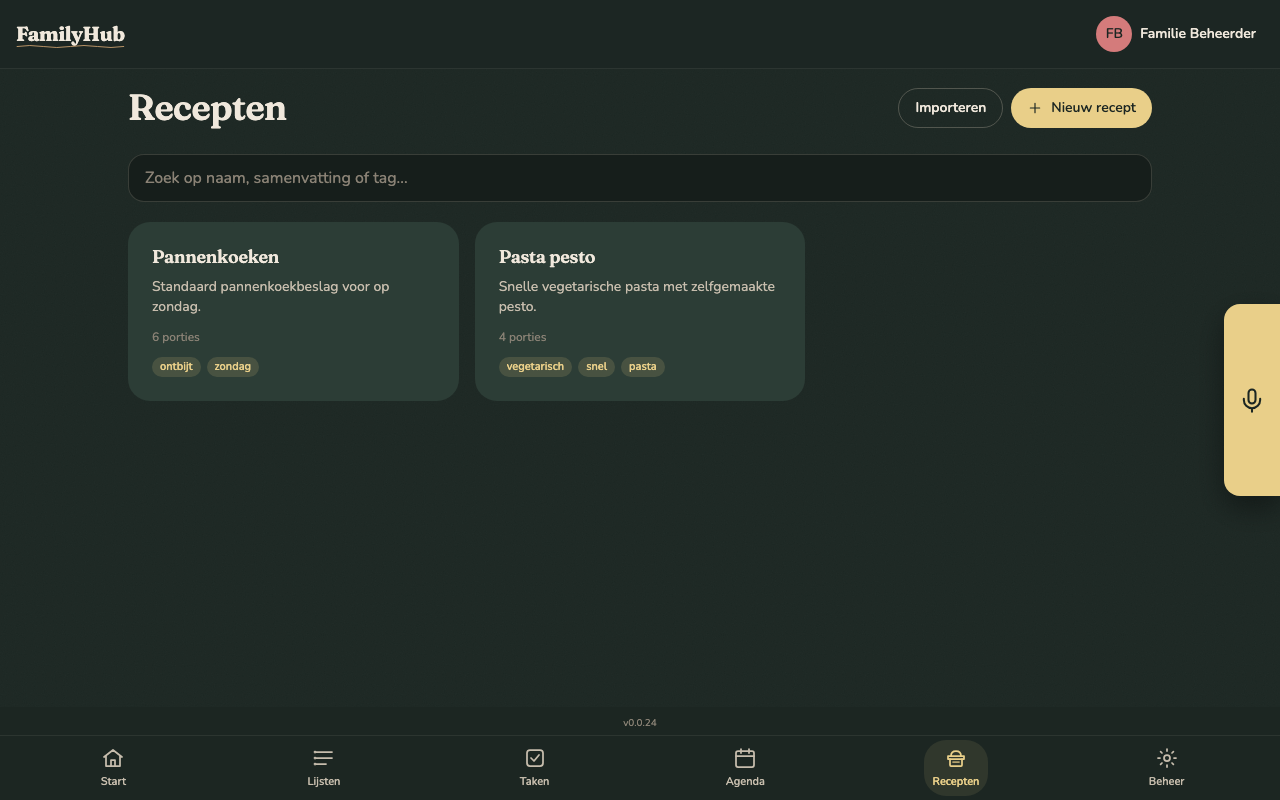
The Recipes tab is your family's shared cookbook. All recipes are visible to everyone in your family and sync in real time across every device — phone, laptop, or the kitchen tablet.
Adding a recipe
There are three ways to add a recipe:
- Manual entry — tap New recipe, fill in the title, ingredients, steps, and optional details (servings, prep/cook time, tags, notes). Available on every plan, including Free.
- Import from URL — paste a link to any recipe page on the web. FamilyHub fetches the page, strips the HTML, and sends the plain text to the AI extractor.
- Import from text — paste recipe text you copied from anywhere (Instagram caption, email, WhatsApp, a photo's OCR output). Same pipeline as URL import, just without the fetching step.
Both AI imports open the new recipe in the editor so you can review and tweak before saving. Nothing is persisted until you hit Save.
The predetermined recipe format
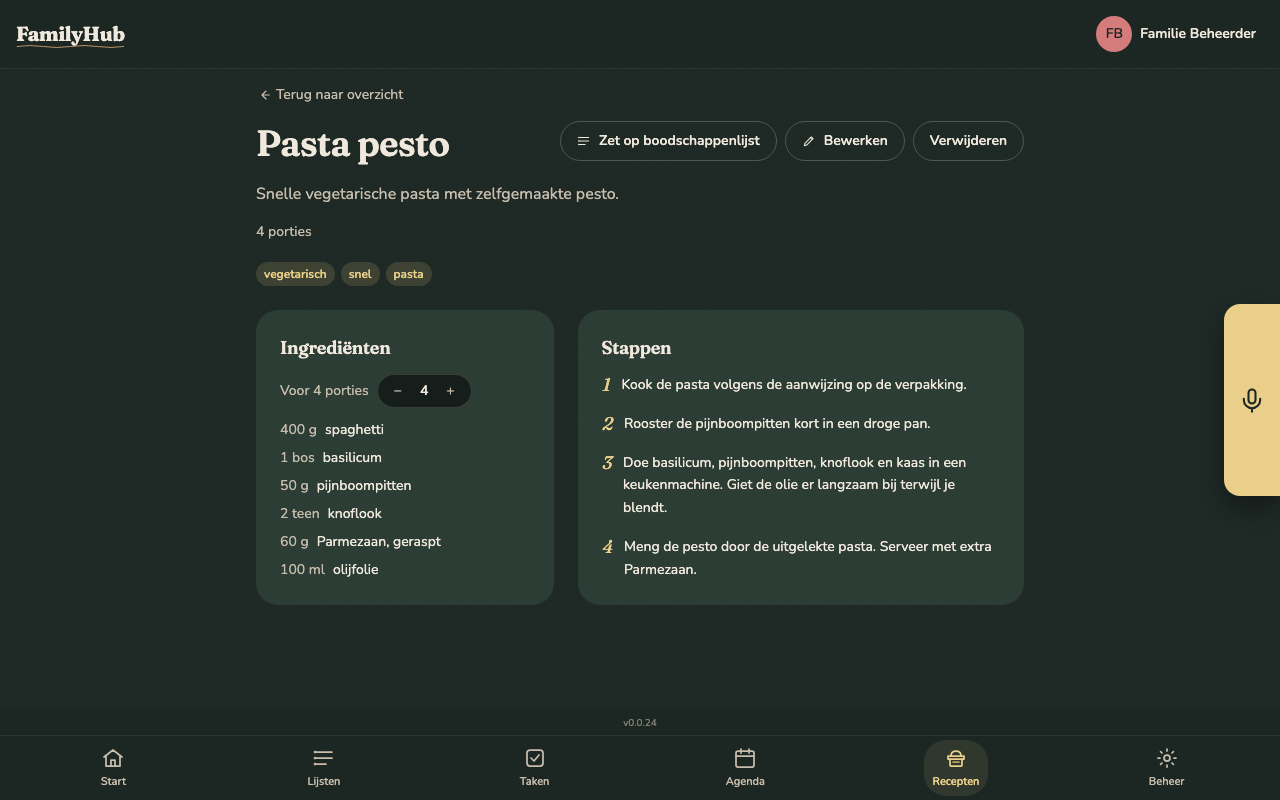
Every recipe — whether typed manually or extracted by the AI — lives in the same fixed shape:
| Field | Required | Notes |
|---|---|---|
| Title | yes | |
| Summary | no | one-liner shown on the card |
| Servings | no | integer |
| Prep / cook / total time | no | minutes |
| Tags | no | comma-separated, used for filtering |
| Ingredients | yes, ≥ 1 | quantity, unit, name, optional notes |
| Steps | yes, ≥ 1 | ordered; text is free-form |
| Notes | no | anything extra: storage, variations, your own tips |
| Source URL | no | set automatically when importing from a URL |
When the AI imports a recipe it must return this exact shape or the import fails — there is no fallback, no partial save, no free-form prose. If the page you pasted isn't actually a recipe, FamilyHub surfaces a clear "could not extract a recipe from this text" message and nothing is stored.
How the AI import works (in short)
- Fetch (URL import only) — FamilyHub makes the request from the server, not your browser. Only HTTP/HTTPS is allowed; loopback, link-local, and site-local addresses are refused so the server cannot be tricked into reaching into your internal network. Response size is capped at 2 MB.
- Strip — the HTML is parsed with jsoup, scripts/ads/nav are dropped, and only the readable text is kept.
- Prompt — the text is sent to Claude (or OpenAI, if you configured BYOK) with a strict system prompt that says: "respond with exactly one JSON object matching this schema, nothing else."
- Parse — FamilyHub parses the response into the typed recipe shape. Unknown fields are dropped. Missing required fields → rejected. Non-JSON → rejected.
- Review — you see the extracted recipe in the editor. Every field is editable before you save.
Searching and filtering
Once you have a handful of recipes, the list view gets a search bar. It filters by title, summary, and tags — case-insensitive substring match. No network request; filtering is instant against the list already loaded in the browser.
Editing and deleting
Every recipe has Edit and Delete on its detail page. Edits save a new updatedAt timestamp, which determines the order of the list — marking a recipe as cooked (see below) does not count as an edit and does not change this order. Deletes are hard deletes — the recipe and its ingredients/steps are removed. If that matters to your family, archive by renaming rather than deleting until we ship a dedicated archive flow.
How often did we cook this?
The recipe detail page shows how many times it's been cooked and, once it's been cooked at least once, the date of the last time — "12× cooked · last on Aug 14", or "Not cooked yet" for a recipe you haven't made.
There are two ways this count goes up:
- The "We cooked this" button, on the recipe page, right next to the count. One tap, always available — from a printout, from memory, or a recipe you only glanced at. There's no confirmation step, so a second tap is a second count.
- The dwell prompt — if you leave a recipe open for long enough, FamilyHub asks "are you cooking this right now?" so the count fills in on its own for recipes actually followed on a device. The delay is configurable per family in Admin → Settings, from 5 minutes up to an hour, or Off. Turning it off only turns off the question — the button still works.
The count is family-wide (one number per recipe), not per person, and cannot be undone — there's no way to take a mis-tap back. It's meant as a soft "which of these do we actually make" signal, not a precise log.
What plans include AI import?
| Plan | Manual entry | AI import (URL + text) |
|---|---|---|
| Free | yes | no |
| Cloud BYOK | yes | yes (your API key) |
| Cloud Full | yes | yes (hosted) |
| Self-hosted | yes | yes (your API key) |
If you're on Free and try to import, you'll get a subscription-required error — upgrade to BYOK or Full, or switch to self-hosting with your own Anthropic/OpenAI key.
Privacy note
- URL imports — FamilyHub's server makes the HTTP request; the target website sees the server's IP, not yours. It does not see which family is importing.
- Text imports — the text you paste goes to the configured AI provider exactly once, to extract the recipe. It's not stored except as the final saved recipe in your database. On Full, the request rides on FamilyHub's hosted key; on BYOK or self-hosted, it rides on your own key and never touches FamilyHub's account.
- Saved recipes — stored alongside your other family data. Exportable via the Export / Import admin screen, deletable any time.